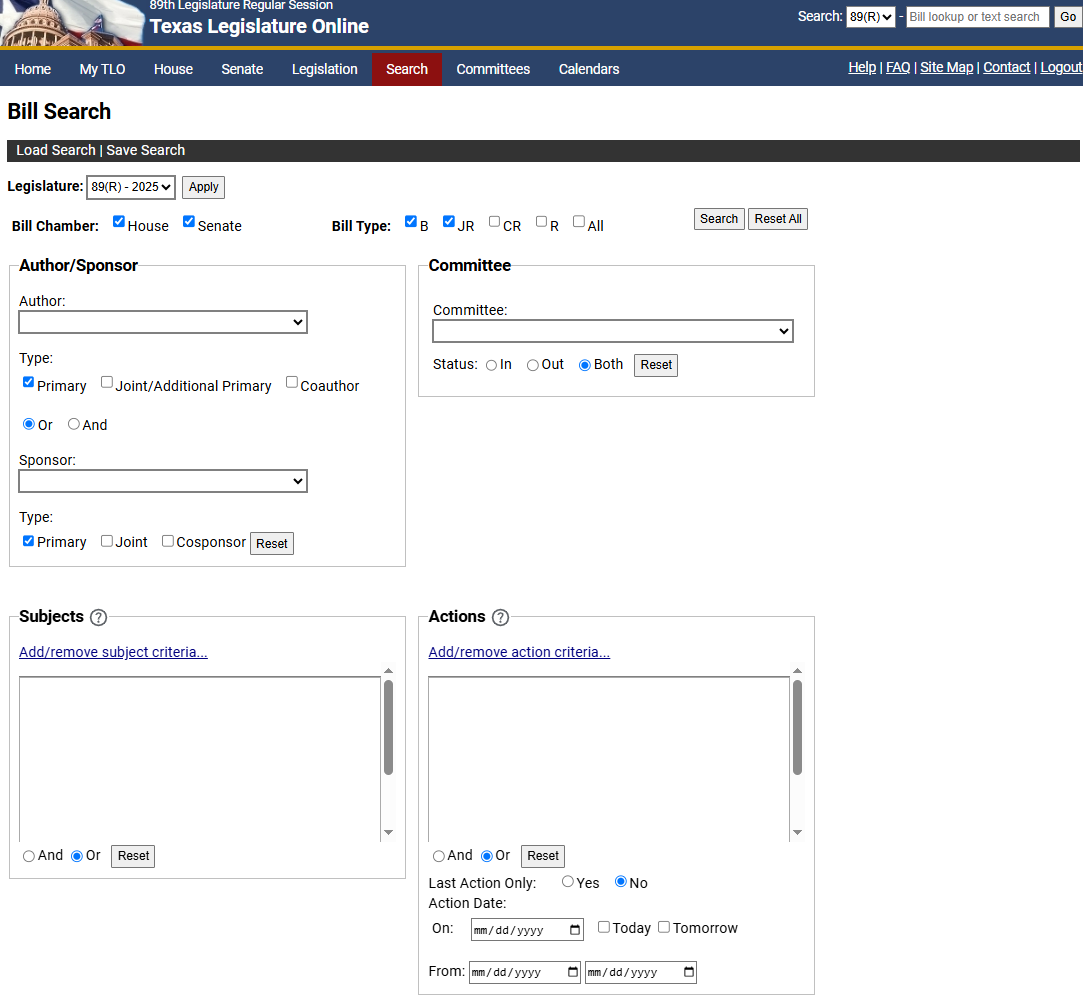
Use the Bill Search feature to locate a bill when the bill number is not known or to display a set of bills with common bill information.
You can access Bill Search in one of the following ways:
From the Home page, under Additional Searches, click the Bill Search link.
Click the Search tab, then click the Bill Search link.
The Bill Search window displays.
From the Legislature dropdown, select the legislative session you want to search.
In the Chamber field, click the House or Senate checkbox.
In the Bill Type field, click bill type selections (i.e., Bill, Joint Resolution, Concurrent Resolution, Resolution, All) check boxes.
Enter criteria on any or all of the folders.
If you want to clear all the search criteria, click the Reset All button.
After you have entered all the search criteria, click the Search button. The Bill Search Results display.
NOTE: To return all bills from the selected Chamber and Bill Type, click Search without entering criteria in the folders. If you click the Modify Search link, the actions Received by the Secretary of the Senate (S000), Filed (S001), and Filed (H001) display in the Actions folder.