You can save the criteria entered on the Bill Search, Text Search, or Amendment Search. Once you have saved the search, you can choose to load, run, or delete it.
NOTE: You must log in to My TLO to save a search.
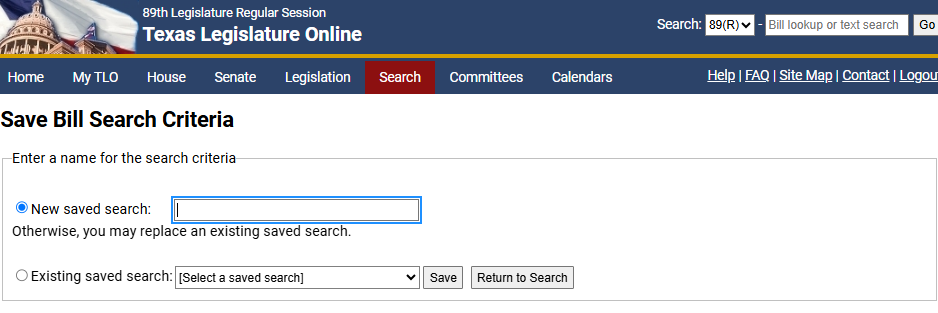
On the search results window, click Save Search. The Save Bill Search Criteria page displays.
Click the New saved search or Existing saved search radio button:
New saved search: Enter a name for the new search.
Existing saved search: Select a name using the dropdown to replace an existing search.
NOTE: If there are no existing saved searches, the Existing saved search radio button will not be available.
Click OK.